Win a Cool Westcott Ice Light

rick sammon for site.jpg

Hey gang! A few months ago I shot a video on how to use Westcott's cool Ice Lights to make a cool picture. Here's the video. It's one of my favorite how-to videos. As you'll see, I like to make learning fun.

Before reading about the making of the above picture, get this: You have a chance to win a Westcott Ice! Click here for info.

Okay, back to the shoot. I used two Westcott Ice Lights to light the shot.  I chose the Ice Lights because they are so small and compact that they can be used to illuminate a subject inside a car. I also love the soft light that they produce. 

rick sammon 1.jpg

Above: Here's a behind-the-scenes shot. That's Westcott's Brandon Heiss helping out with a test shot. We're using a hand-painted background, complete with a sunset, as our background.

For the final image, one Ice Light was position with a clamp above the sun roof. The other Ice Light was held by Brandon as he leaned through the passenger door - which is where I took the shot. Brandon held that Ice Light directly in front of the model.

rick sammon 2.jpg

Above: Here's a natural light shot. Boring. Why? No shadows. Also, it's a boring pose. By changing the light and pose, we turned a boring shot into a hot shot.

Gear:
Ice Light
Canon 5D Mark III
Canon 24-105mm IS lens - for me, the most versatile lens offered by Canon. 

I warmed up the image using the Duplex filter in Nik Color Efex Pro. For info on Nik, see my Save on Plug-ins page. 

Quick tips:
- Light illuminates, shadow define.
- Shadows are the soul of the picture.
- Shadows are your friend.
- Shadows add a sense of depth and dimension to a photograph.

For more on light (and composition - the strongest way of seeing), see my on-line classes

Explore the light,
Rick

This site powered by (designed and hosted on) Squarespace. Use one-click to get started with your own awesome Squarespace site. 

And the Winners Are . . .

Screen Shot 2013-08-15 at 3.33.56 PM.png

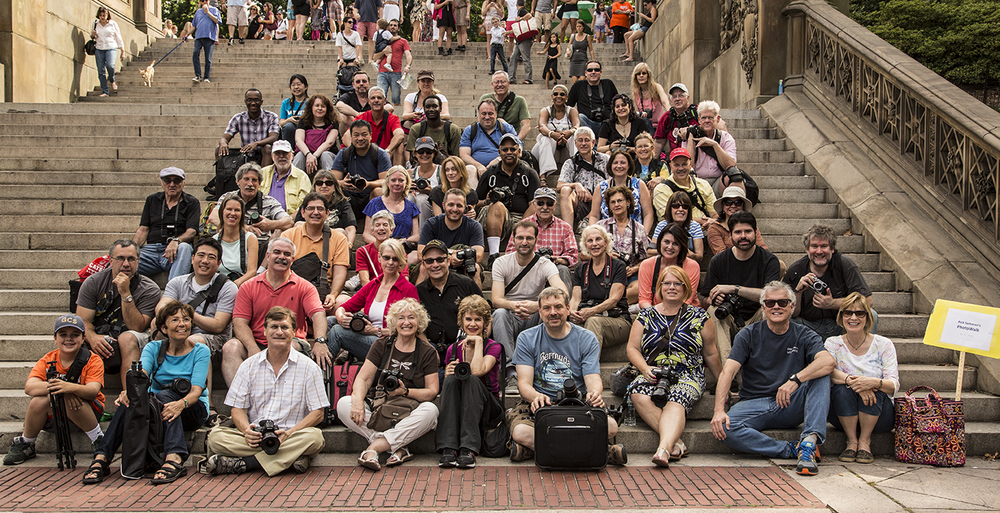
Thanks to all the photographers who joined in the fun at my Central Park Photo Walk this past Sunday. What a great group! 

Screen Shot 2013-08-15 at 3.34.28 PM.png

I ran two contests during the walk: 1) Most creative picture from under the arches; 2) best blurred-hands shot.

Ronald Diel won the contest #1 ($100 gift certificate to Adorama)  and Sharron Crocker won contest #2 (Lexar Professional USB 3.0 Dual-slot card reader).

Congrats to both of you. 

See all the posted images here

RC6C1463.jpg

I hope to see all of you on my next Photo Walk or Photo Workshop.

Explore the light,
Rick

Today's Guest Blogger: Scott Cook

Image_01.jpg

First, I'd like to thank Rick for asking me to guest blog on firefighting photos. Rick and I haven't met, but I emailed him to ask about using one of his Route 66 photographs in my blog as a link back to his Route 66 gallery. Rick graciously agreed and asked me to write about fire photography.

Secondly, no one ever called the fire department because they've done something smart. The places where the fire department operates are dangerous places and you have to keep your head on a swivel: downed power lines, powerful streams of water, vehicles driving by, and firefighters moving about concentrating on the task at hand.

Most of America is served by small and volunteer fire departments. Want to get better shots? Get to know those people. Visit the stations, go to the meetings and start talking to the firefighters. get to know them and learn what they do. Like sports photography, if you know the game, you'll be better prepared to make your photographs as the situation develops.

I've been taking pictures for a long time. I just started making pictures in the last few years. The pictures you'll see in this blog post were made as I had time to take them while working at these events as a firefighter or instructor.

Opening Image: Aircraft Fire Training. Fire scenes are dynamic. The background of fire and smoke creates a different image with every push of the shutter release. Fire hoses provide excellent leading lines to a subject. And one end of a hose is a firefighter, at the other is a fire truck.

Image_02.jpg

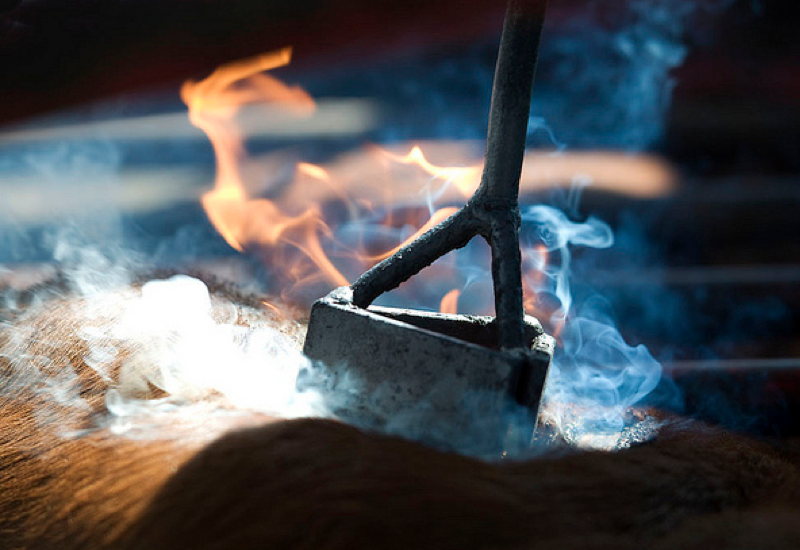
Above: Night fires offer great silhouette opportunities. On arrival at this fire, out in the country, the structure was too far gone to be saved. Most often, firefighters operate at a slower pace under these conditions, and you have a few more seconds to set up your shot. Interestingly, the flash fired but too far away to be effective which actually allowed me to reduce the exposure in Lightroom by -1.43 and get a darker silhouette.  Had the flash fired, the reflective trim on the firefighter's protective clothing would have killed the photograph.

Image_03.jpg

Above: Heat Wave. The heat waves separate this photograph into two planes (so to speak). In front of the fire the structure of the car fire simulator is clear and relatively sharp. Behind the flames, the heat waves distort the firefighters to the point where it almost looks like the lens was made from an old window pane. Why ISO1600? I failed to reset my camera following the night fire mentioned in this blog post…

Image_04.jpg

Above: Firefighting is a dirty, gritty job. This firefighter was preparing to attack this fire when I made this photograph from the fire truck. As I said, it's dirty and gritty work so in post-processing, drop the exposure (-1.07, here)  and contrast (-100 here), bump up the clarity to (+100 here) to bring out that dirt and grit. In the photograph you can see what appear to be lens spots - they're not. That’s debris coming from the fire - rising with the heat and smoke and falling when it cools down.

Finally, don't forget the human side. People are present at every scene. Capture firefighters taking a break, people's emotions, people helping people and so forth. Like sports photography, there's a lot going on on the other side of the camera.

For more of my work, please visit my site

Thanks again, Rick! 

Today's Guest Post: 11 Ways Your iPad Can Improve Your Photography – by Angelo Ioanides

Image courtesy of Potapova Valeriya. 

Image courtesy of Potapova Valeriya. 

While it may not imminently replace your desktop computer for image-editing, the iPad is rapidly earning its place as an indispensable tool in every outdoor-photographer’s kit.
To help you better appreciate the full photo-enhancing potential of your iPad, in this introductory article we’ll briefly touch on the eleven broad categories of iPad-Assisted Digital Photography (iPADP).

1. RESEARCH AND PLANNING
Before you even step out your front door, your iPad provides you with a wealth of tools to research and plan your shoots. Tasks such as finding stunning, little-known locations; forecasting light, weather and meteorological events; planning what equipment to carry; and even booking cheap travel and accommodation deals can all be quickly and easily carried out on your iPad. 

Image courtesy of Yang Jun.

Image courtesy of Yang Jun.

2. REMOTE CAMERA CONTROL
On location, you can trigger your iPad to remotely release your camera’s shutter by touch, time, sound and/or vibration. In addition, your iPad can be used to manage your camera’s bulb and time-lapse modes.

Alternatively, if you’re shooting in a studio setting, you can use your iPad to both remotely control your camera (i.e. setting exposure, auto-bracketing and timed shutter release) as well as to view a live stream of what your camera’s image sensor is “seeing.” This latter feature is particularly useful if your physical presence would otherwise disturb the shoot or if you have clients who would like to view your work live without getting in your way. 

3. ON-SITE IMAGE PREVIEW
While camera preview screens have improved markedly over the years, it’s not always easy to examine your images in great detail on a 3-inch screen. With its 9.7-inch screen, your iPad reveals a great deal more detail, without encumbering you with the bulk and weight of a laptop.

Using either a plug-in adapter from Apple, a WiFi-equipped memory card or (for the more serious photographer) a pocket-sized wireless-USB device, you can quickly and easily transfer images in to your iPad and review them in detail on location... not later at home when the photo-opportunity is lost.

4. IMAGE BACK-UP
When you’re only using your iPad to download apps, even 16 Gigabytes of storage echoes with the amount of unused space available. However, when you start importing huge megabyte images, your iPad very quickly begins to resemble a blood-sucking mosquito that can’t withdraw its proboscis from its victim’s artery. 

Until recently, the easiest way to export images out of your iPad and on to your computer was to use a wireless image-sharing service such as iCloud or DropBox. Of course, the obvious limitation to such services is the requirement for an internet connection (I hear the WiFi at Annapurna is still somewhat unreliable!).
Mercifully, a revolutionary piece of equipment allows you to instantly view your camera’s captured images on your iPad without having to physically store a single image on your iPad. What’s more, this device can automatically back-up all your camera’s images (as well as any images on your iPad) to iCloud or DropBox when ever it detects a WiFi connection.

5. IMAGE EDITING
As natural-light photographers, we’d much rather spend our time behind the lens than in front of a computer. And while it would be nice to always capture “perfect” images in-camera, in reality most of our images can benefit from some form of editing.
While the iPad is currently no match for the pixel-pushing power of Photoshop, there are a handful of incredibly versatile apps that enable you to quickly and easily perform your most common edits on the road. Such editing is particularly useful when you want to share your images with the world whilst traveling.  

Image courtesy of Thomas Bethge.

Image courtesy of Thomas Bethge.

6. IMAGE TAGGING
Regardless of whether or not you ever edit a single image on your iPad, the one work-flow activity that you should definitely perform on your iPad is image key-word and meta-data tagging. That’s because your time in front of a computer is more productively spent actually editing images than it is sorting them - the latter of which can easily be performed on your iPad during down-time (e.g. back in your hotel room, on a plane or in a cafe). 

Image courtesy of Tracey Somerville. 

Image courtesy of Tracey Somerville. 

7. IMAGE DISTRIBUTION
As alluded to earlier, when you’re on the road, your iPad enables you to share your images with the world. Taking this a step further, there are a handful of advanced iPad apps that dramatically streamline the distribution of your images across all of your online web-properties. With the literal touch of your iPad, you can have a beautifully presented blog-post (complete with images and video) instantly appear on your website; in your online image-galleries; as well as in all your social-media sites. This is yet one other way your iPad frees you up to spend more time doing what you love most - taking great photographs.

8. IMAGE PRESENTATION
With its large screen and remarkable portability, your iPad’s ability to showcase your work is undoubtedly one of its most attractive features. Not only can you show-off your best images directly on your iPad (without the cost and hassle of carrying around a printed portfolio), you can also use your iPad to wirelessly project your portfolio on to the big screen.   

Image gourtesy of Goodluz. 

Image gourtesy of Goodluz. 

9. ON-LOCATION VIDEO
If you are, or you aspire to be, a photo-educator (i.e. you teach photography to others), capturing your in-the-field work-flows on video is an incredibly powerful teaching as well as marketing tool. Capturing your photographic processes on video with a newer iPad is definitely something you should consider doing regularly. What’s more, if you’re on the road, transforming your footage into stunning productions that are ready to ship across the ‘Net is also incredibly easy to do on your iPad.

10. ONLINE MARKETING
As with any business, whether you’re a photo-educator or you simply want to promote your images online, your ultimate level of success is largely determined by how well you market yourself.
In addition to helping you organize and distribute your work across the web, there are a number of powerful shortcuts your iPad gives you to efficiently market, as well as manage your business while you’re on the road.

11. ONLINE EDUCATION
The adage “the more we learn, the more we realize how little we know,” certainly holds true for digital photography.

With the plethora of forums, blogs, e-books, pod-casts, hang-outs, videos and online seminars all teaching the finer points of our craft, it’s easy to feel a sense of overwhelm.
By leveraging a select suite of apps, there is no more convenient nor more powerful learning-instrument than your iPad.

As a digital-photography aid, your iPad is clearly more than a glorified picture-frame. When you consider its incredible versatility along with its relatively long battery life and compact size and weight, your iPad deserves its permanent place in your photographic arsenal.

Image courtesy of Nailia Schwarz. 

Image courtesy of Nailia Schwarz. 

If you'd like to learn more about iPad Assisted Digital Photography be sure to check out Angelo's stunning (and completely free) outdoor photography magazine, Extraordinary Vision. Each month, EV Mag features an in-depth video tutorial of the most powerful iPADP apps currently available. Published exclusively for iTunes, you can download the latest issue of EV Mag onto your iPad, iPhone and/or iPod Touch absolutely free. Just click here!

Today's Guest Blogger: Alex Morley

1. ProxyFallsforRickSammon.jpg

Thank you Rick for asking me to do a blog on waterfall photography. Waterfalls are among the most fascinating features of the natural world, but they can be challenging to photograph. Here are some basic steps to get your readers started on making beautiful waterfall images.

1. Find waterfalls near your home. Do an online search and ask local park officials about local streams. Even small waterfalls can be beautiful. You can also travel to places that are known to have wonderful waterfalls such as Iceland (on my to do list), New England, and the Southeastern USA. Many of the most astounding and beautiful waterfalls are where I live in Oregon. We have hundreds of them. There are a few areas here with large concentrations. Most notable are the Columbia River Gorge and Silver Falls State Park.

Opening Image: Proxy Falls, Oregon Cascades. ISO 100, 1.3 secs., f/20.

2. Shoot on overcast days. In order to get that soft silky look, cloudy skies are best. Avoid direct sunlight.

3. Shutter speed.  To get that creative silky soft flowing effect you will need to shoot at least ¼ second or slower.  I will experiment on each waterfall at many shutter speeds.  Some of my favorites are as slow as 2 seconds or even longer. 

2,KatmaiBearforRickSammon.jpg

Above: Katmai Bear. A fast shutter speed, 1/250 or greater, shows the water detail. Kodachrome 64 slide film, 1/250 sec., f/8. Katmai, Alaska.

3.LostCreekforRickSammon.jpg

Above: Lost Creek. 1/4 sec. or slower smooths the water. ISO 200, 1/4 sec., f/20. Lost Creek Falls, Oregon Cascades.

4. Use a tripod; it is an essential tool for long shutter speeds.

5. Shoot several images. The flow of water changes constantly so each image will be a little different.  You will notice this in the spray, and also in the outflow pond at the bottom of the waterfall.

6. Cut down on the light.  In order to get that slow shutter speed you have to limit the light coming into the camera. First of all use the lowest ISO for your camera. Then set the aperture at f18 or higher. Put on a polarizing filter.  This combination is often enough to work well on darker overcast days, especially in the forest. If you still need to cut out more light use a neutral density filter to block out light. These come in different densities. I use a 2- or 3-stop filter. I also like the Singh-Ray vari ND filter, which allows me to use different strengths of darkness by rotating the filter to let just the right amount of light through.

7. Slow down. When you arrive at a great waterfall, you will often be in awe… Enjoy it for a while.  Then look around and take some time to think about a good composition. Move to get a side angle. Use a wide angle, then use a telephoto to get in close to parts of the waterfall.  At many of the waterfalls here in Oregon, you can walk BEHIND the falls and get a totally different perspective.

4. BehindLowerSouthFallsforRickSammon.jpg

Left: Behind Lower South Falls. Walk behind the falls if you can for a new perspective. ISO 200, 1/6 sec., f/20. South Falls, Silver Falls State Park, Oregon.

8. Shoot in manual. This way you can control the shutter speed, aperture and ISO precisely. And watch your histogram carefully.  The water often gets blown out, and you want to be able to recover detail.   

If the whites are jammed up too far on the right of the histogram you may not be able to recover details, so cut down the exposure an f stop or two.  

Expose for the highlights.  There are many techniques for bring out detail in the water, the simplest is to use the white and highlights sliders in Lightroom. 

I often use curves and mask the layer in Photoshop to paint in selectively.  The new Lightroom 5 has an improved adjustment brush that works really well for this, too.

5. CoorsWaterfallforRickSammon.jpg

Left: Coors Waterfall. Black-and-white shows the details of the water and rocks in a different way. Subtracting color makes the image rely on form and tonality alone. ISO 200, 1 sec., f/20. Coors Falls, San Juan Mountains, Colorado.

Have fun searching out waterfalls. Some of your most rewarding and artistic photos can be of waterfalls. 

Alex Morley
Web site.
facebook.
Google+

• • • • • 

Thank you Alex! Great job!

Alex and I are running a Oregon Coast Photo Workshop Caravan this fall. It's full, but you can get on the waiting list. Info my Workshops page