Set Your Sights On A New Web Site in 2013

iStock_000004920020Small.jpg

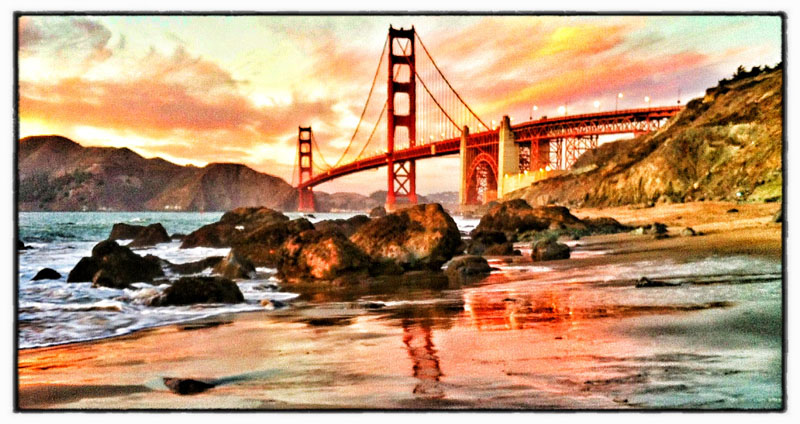
Does your site - your major presence on the web - need a make over? Do your images look as good as can be - on your web pages and in your galleries? Is it easy and fun to update your site? Does your site look original and creative? If you have a technical problem, is customer support there to help?

If you are looking for a new and improved web site for 2013, check out Squarespace. A free trail is only one-click away.

I moved my site to Squarespace back in November. Here's why:

1.jpg

1) Easy-to-use templates – for total creative control over your content.

for blog.jpg

2) Sites look great on any device – so your work is presented in the best possible way on desktops, laptops, iPads, iPhones, or any other device.

There is even a free iPad and iPhone app that lets you move your galleries from your desktop to your mobile device simply by downloading the app.

3) Drag and drop technology – great for hyper people, like me!

Screen Shot 2012-12-06 at 10.08.02 AM.png

4) It's an all-in-one site – so your blog, galleries, events and so on are all in one easy-to-manage and updatable place. Checking stats is easy, too.

5) Customer support is 24/7 – so if you need help, it's away there.

edit pictures.png

6) Photos can be edited within Squarespace before you publish - giving you total control over how your images look on your site.

7) It's fun - which is a big benefit for hard working photographers.

Use one-click to get started with your own awesome Squarespace site. Now :-)

Explore the light,
Rick

Six Days of Speedlite Tips: Day 3

Left: no flash. Right: daylight fill-in flash.

Left: no flash. Right: daylight fill-in flash.

It's Day 3 of my Six Days of Speedlight Shooting Tips here on my blog. Scroll down for previous speedlite posts.

Today's tip: Use your speedlite for wildlife photography.

Concept: Balance the light from the speedlite to the natural light - so your photograph is a combination of both natural light and the light from your speedlite. Here's how to do it:

1) Set your camera to the Manual Exposure mode.
2) Adjust the aperture/shutter speed combination for a correct exposure.
3) Don't set a shutter speed higher than 1/200th of a sec. (max synch speed of most cameras).
3a) Setting a faster shutter speed is possible if you have high-synch speed capability.
4) Turn on your flash and set it to E-TTL.
5) Adjust the +/- setting until your subject is correctly exposed.

With this simple technique, it's possible to control the brightness of the subject and background independently, which is kinda cool.

In very bright conditions, start by setting a low ISO. If your flash does not illuminate a distant subject, you may need to boost your ISO.

Screen Shot 2012-12-11 at 10.41.35 PM.png

Using a flash accessory such as the Better Beamer will extend the maximum illumination distance of your speedlite.

For more detailed lighting tips, see my Apps. For hands-on learning, check out my workshops.

rick sammon fill.jpg

You can use the same technique for people pictures. I took the above photograph with a speedlite in a Westcott Apollo soft box. The behind-the-scenes shot is below. This gear, and all my gear, is listed on My Gear page.

sammon model.jpg

If you like stuff like this, you can subscribe to my blog here.

Explore the light,
Rick

P.S. If you have a speedlite shooter in your family, here are my holiday gift recos.

This post sponsored by Adorama - great gear at great prices. 

This site powered by (designed and hosted on) Squarespace. Use one-click to get started with your own awesome Squarespace site.

Six Days of Speedlite Tips: Day 2

rick sammon a.jpg

It's Day 2 of my Six Days of Speedlight Shooting Tips here on my blog. Scroll down for previous speedlite posts.

Today's tip: Create Terrific Top Light.

Concept: Position the light directly above the subject. Use "voice activated" light stands to save on real light stands. Use a softbox with a recessed diffusion panel to soften and direct the light. Moving the softbox a few inches can dramatically change where the shadows fall and how much of your subject is illuminated. I talk more about shadows (and light) in my Kelby Training class: Light - the main element in every photograph. Info on my On-line Classes page.

_MG_8487.JPG

After you make your photograph, play with plug-ins. My original photograph is top left. I used the Monday Morning filter in Nik Color Efex Pro to create the image on the top right. All my plug-ins are listed on my Save on Plug-ins page.

Screen grab of Nik Color Efex Pro main window.

Screen grab of Nik Color Efex Pro main window.

Recommended Gear:
Canon 5D Mark III
Canon 24-105mm IS lens
Westcott Apollo Softbox kit
Canon 600EX-RT Speedlite
Canon ST-E3 Speedlite Transmitter
Tether Tools kit

Explore the light,
Rick

This post sponsored by Westcott. Check 'em out for all your lighting needs.

Screen Shot 2012-12-11 at 11.56.55 AM.png

iPhones Welcome on My DSLR Workshops

Canon 5D Mark III image, processed in Photoshop.

Canon 5D Mark III image, processed in Photoshop.

I've been teaching photographers how to make better digital images with their digital SLRs for about 15 years. We shoot from sunrise to sunset and process our images on site. My workshops are designed for serious photographers, but we also have good fun.

Recently, my wife Susan has been shooting with her iPhone on the workshops. While I share my DSLR techniques, Susan shares her pictures,  showing the students new iPhone apps and accessories.

Canon 5D Mark III, original image.

Canon 5D Mark III, original image.

For those of you who have not been on my workshops, I thought it would be fun to do a post with one of my before-and-after pair of images and one of Susan's before-and-after pair of images.  I think you can see why her pictures and techniques are popular :-)

iPhone image, processed in Nik's Snapseed.

iPhone image, processed in Nik's Snapseed.

The message of this post: all photographers are welcome on my workshops . . . so if your spouse is not as serious as you are, drag him or her along for the fun. 

Original iPhone image.

Original iPhone image.

We hope to see you on a workshop in 2013. All of 'em are listed on my Workshops page.

If you can't make a workshop, I teach 24/7 and 365 - via my on-line Kelby Training classes.

Explore the light,
Rick

P.S. Yes, the DSLR photographers play with plug-ins, too. They are listed on my Plug-in page.

This post sponsored by Adorama - a great place for great gear at great prices. Click here to check out their holiday specials on Canon lenses and Speedlites.

Screen Shot 2012-12-04 at 2.22.14 PM.png

Six Days of Speedlite Tips: Day 1

david by rick.jpg

It's Day 1 of my Six Days of Speedlite Shooting tips here on my blog.

Today's tip: Create Cool Rim Light.

Concept: Position the subject slightly in front of the soft box. Have the subject look straight ahead (in the opposite direction in which the softbox is facing) so you get a profile. Basically, you want the light coming from slightly in front of and behind the subject. If that's confusion, simply see the above diagram.

For the cool image below, I simply combined two rim light shots, flipping the image on the left so it faces right.

master maggie and zoe.jpg

In the shot below, I am positioning the model. For the end-result shots in this post, I shot directly toward the models' left side - the angle at which you are looking at the photograph.

_MG_8484.jpg

You need to experiment with subject position and flash output to get the shot you want. I always shoot on E-TTL and vary the light output with my wireless transmitter, but you can control that in camera, too.

BTW: A softbox with a recessed front diffusion panel is a very important accessory for this technique. It allows you to control the light to a greater degree than an umbrella or an octodome.

Recommended Gear:
Canon 5D Mark III
Canon 24-105mm IS lens
Westcott Apollo Softbox kit
Canon 600EX-RT Speedlite
Canon ST-E3 Speedlite Transmitter
Tether Tools kit.

For more detailed lighting tips, see my Apps. For hands-on learning, check out my workshops.

If you like stuff like this, you can subscribe to my blog here.

Explore the light,
Rick

This post sponsored by Westcott. Check 'em out for all your lighting needs.

This site powered by (designed and hosted on) Squarespace. Use one-click to get started with your own awesome Squarespace site.