Take Your Photography to the Next Level: Learn Photoshop

rick sammon.jpg

Yes! Lightroom is awesome for image editing. But Photoshop is simply more powerful and versatile . . . and for some more fun.

I teach Photoshop (as well as Lightroom image editing) on my group and private workshops – on location and in Croton-on-Hudson, NY.

If you want to take your photography to the next level, learn Photoshop.

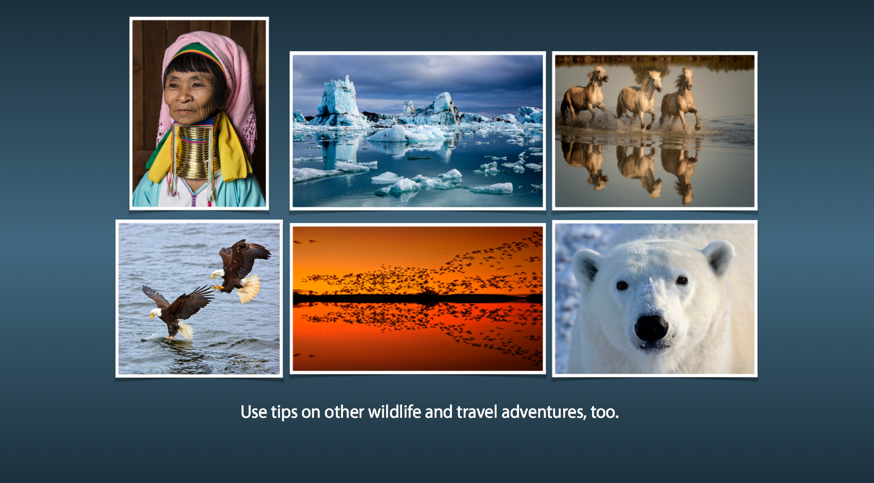
The opening image for this post was created from the above image in Photoshop – with some help from Photomatix and Nik Color Efex Pro. I also teach how to use plug-ins artistically - and selectively.

Don't get me wrong. I love Lightroom. It's just that Photoshop offers more creative options for creative photographers.

Explore the light,
Rick

Check Out My Latest KelbyOne On-Line Class: Capturing The Wild: Safari Photography

My latest KelbyOne on-line photography class, Capturing the Wild: Safari Photography, has just been released. The one-hour+ class is not just a presentation of pretty photographs. For each of the photographs I share a photography, travel or processing tip.

rick+sammon.jpg

The class (a live, in-studio narrated Keynote slide show) will help you "tell the whole story" of your photo adventure.

rick.png

In addition, you can use many of the same tips when photographing at a wildlife park, nature center, on a photo workshop, and while traveling. Animal, people and landscape photography are covered, as well as planning and packing for a trip. Basic digital enhancements are also illustrated.

The class includes my favorite images from my photo safaris to Africa, as well a few photographs taken at my favorite wildlife parks, including Fossil Rim Wildlife Center in Texas. 

Screen Shot 2014-01-15 at 3.25.44 PM.png

I hope you enjoy the new class. I enjoyed working with the KelbyOne creative team on producing it.

All my KelbyOne classes are listed here.

Here are my favorite photo safari lenses:
Canon 400mm DO lens 
Canon  70-200 f/4 IS lens
Canon 100-400mm f/4.5-5.6 IS lens
All my gear recos are on My Gear page.

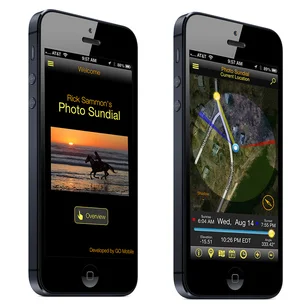
To help you find the best light on a photo safari, and on all your worldwide travels, check out my latest app, Rick Sammon's Photo Sundial.

The app also includes my best tips for photographing at sunrise and sunset. Other features include: Location Search, Weather, Moon Phases, Directions, Location Sharing.

Explore the light,
Rick

Rick Sammon Seminars Coming to Denver, San Fran and LA

I will be in Denver, CO for a free seminar on June 14th. Don't miss out!

I will also be recording a travel photography segment for the DPE Podcast that I co-host with Juan Pons. Bring your questions! Get on the show.

On June 15th I am running a model shoot workshop in Denver. Click here for info. Note: Space is limited on the June 15th paid model shoot, so sign up early.

June also brings me to California for two free seminars for Samy's Photo School (sponsored by Lexar):
San Francisco event.
Los Angeles event.

Bring your questions - and enthusiasm.

If you can't make a seminar, I have lots of on-line classes that are also info-packed and a ton of fun.

Explore the light,
Rick

Self-Assignment/Photo Challenge: Shoot into the Sun

From time to time I will post self-assignments/photo challenges here on my blog. Self-assignments are a good way to learn and grow as a photographer. Try 'em by yourself or with a friend.

If you take the challenge, you can post your photos on my Rick Sammon's Photo Challenges Google+ page.

FYI: This Photo Challenge is one of the several photo challenges in my forthcoming Focal Press book (Spring 2015) on visualizing and developing your eye. Shoot me an email to get on the book announcement list.

Assignment: Shoot Into the Sun

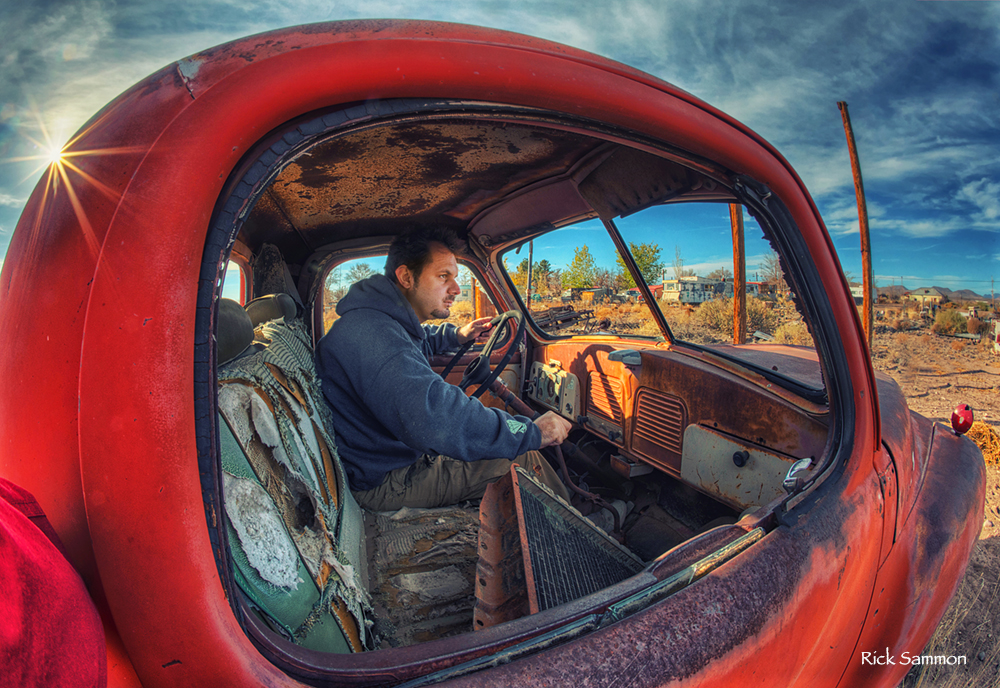
Concept: Use HDR to capture the entire dynamic range of a scene when shooting into the sun. Have the sun just peak out from behind an object. Use an aperture of f/22 to get the starburst effect.

The starburst effect is enhanced with wide-angle lenses, so the wider the lens the better. Here I used my Canon 15mm full-frame fisheye (but I now have the 8-15mm lens) on my Canon 5D Mark III full-frame image sensor camera. When a true fish-eye lens is used on a cropped image sensor camera, you don’t get the fish-eye effect.

Make sure your lens is very, very clean, as just one speck of dust can look like a big blob in your image. Take enough photographs over and under the average exposure setting to capture the shadow detail (over exposed images) and highlight areas (underexposed images).

If a person is your HDR sequence, have him or her very, very still while you are taking several exposures. That is the direction I gave my friend Mike “Spike” Ince when I made this HDR image.

As you can see in the above image, the contrast range was too great for all the detail in the scene to be captured in a singe photograph.

By the way, this is a hand-held HDR image. Wide-angle lenses and rapid frame advance make hand-held HDR images possible.

Processing Suggestions: Use Photomatix to create your HDR negative, and then process your HDR file in Photoshop or Lightroom. You can get a discount on Photomatix on my Play and Save on Plug-ins page.

Remember that HDR images tend to look a bit flat, because you are compressing the brightness range of a scene. Therefore, you need to add a bit of contrast if you want your image to pop.

If you like HDR, I teach that technique on many of my workshops.

Location: Junkyard near Bosque del Apache, New Mexico

Explore the light,
Rick